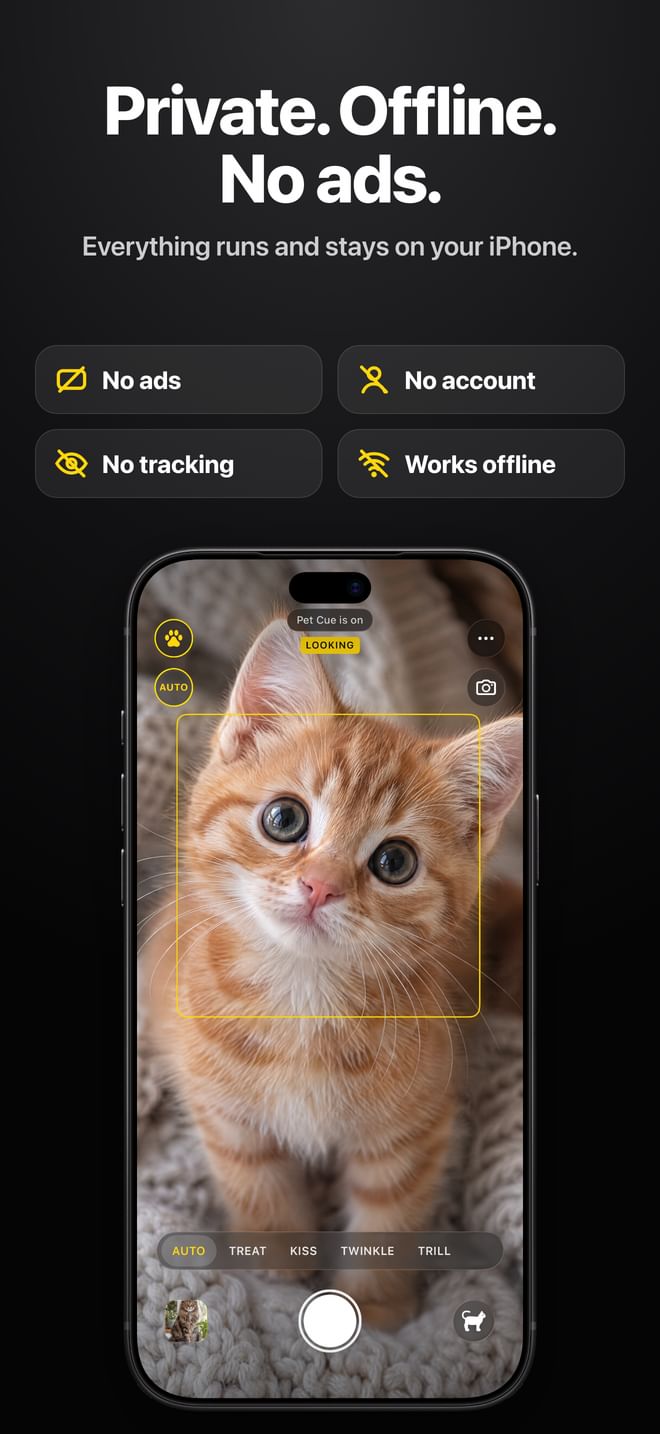
On-device AI that takes the photo the instant your pet looks, makes sure it is sharp, catches the moments in between and learns what your pet loves. Here is everything it does, how it works, and where.
AI auto-shutter
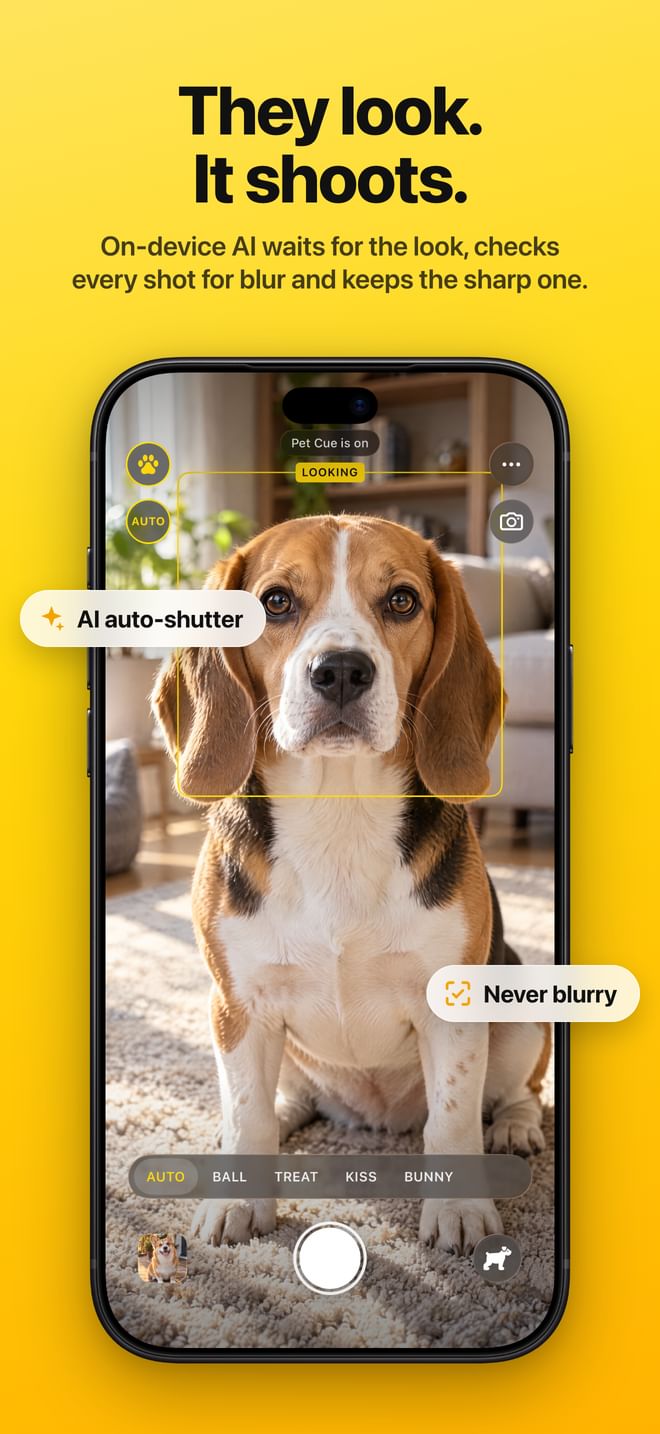
Pet Cue takes the photo the instant your dog or cat looks at the lens. Point the phone, tap once, and the shutter waits for the look: no more photos of an ear, a tail or a blur.
On-device pet models find your dog or cat and its face points (eyes, nose, ears) eight times a second.
Pet Cue scores how squarely the face turns to the lens: eyes level, nose centred between them, head neither sniffing down nor looking over the phone.
Two frames in a row above the line trigger the shutter; zero-shutter-lag capture takes the frame from that moment.
Shaggy breeds such as schnauzers and sheepdogs get a second, closer pass on the pet alone when the eyes hide in the fur.
Works on dogs and cats. It needs light and a face that fills a fair part of the frame.
Perfect Shot: never blurry
The default way Pet Cue shoots. One tap starts a hunt for one sharp photo of your pet looking at the lens: it waits for the look and for stillness, checks the photo, and keeps trying until the shot is sharp. Then it stops by itself and says “Perfect shot”.
While it hunts, focus and exposure follow your pet’s face, and the shutter stays at 1/100 s or faster (the camera raises ISO instead of slowing down).
It measures how fast your pet’s face moves across the frame, in eye spacings per second, and the phone’s own movement with the gyroscope, and shoots only when the blur that motion would cause stays well under 3% of the distance between the eyes.
After every automatic photo it reads the photo’s real exposure and checks the edges at the eyes for crispness, scaled to the face’s size. Missed focus and motion blur both fail it.
A blurry photo is kept and marked Blurry (Select Blurry Photos finds them all), and the hunt goes on. It gives up after a minute; in very dim light, more light helps.
Photos taken by hand are not judged.
Moments: head tilts, funny faces, new poses
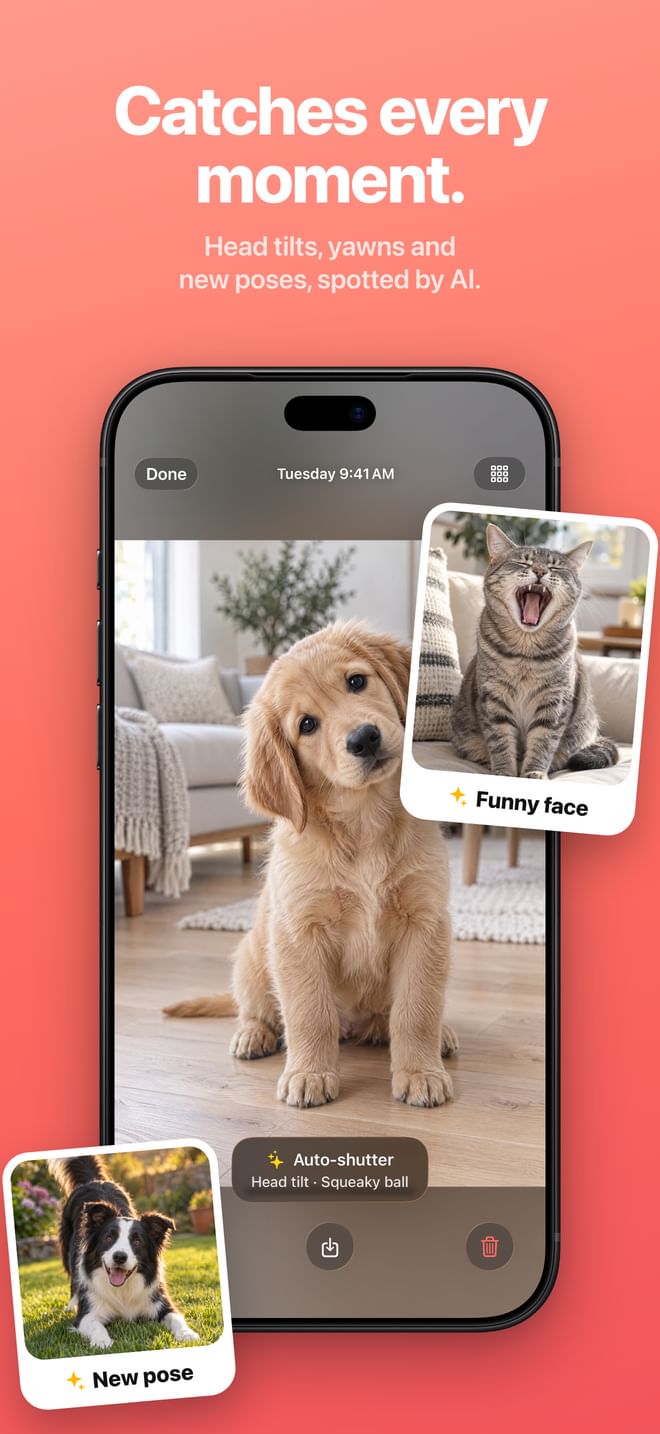
In a Multi-Shot session with Auto-shutter on, Pet Cue also photographs the moments in between, even when your pet isn’t looking at the lens. Each photo’s caption names what it caught.
Head tilt: the line between the eyes tilts 18 to 50 degrees with the face toward the camera, on two analysed frames in a row.
Funny face (a yawn, a tongue-out or a lick): a small model Pet Cue trained for this reads the face on the phone. It must agree on two frames in a row and ignores a head bowed to the floor, because sniffing reads like a tongue. On real photos it never trained on, 96 in 100 of its picks were real yawns or tongue-outs.
New pose (sitting, lying down, a play bow, belly up): the pose differs from every photo already taken in the session and is steady, not mid-shake.
Head Tilts, Funny Faces and New Poses each have a switch in More > Moments.
Not detected: winks, blinks and emotions.
It learns each pet
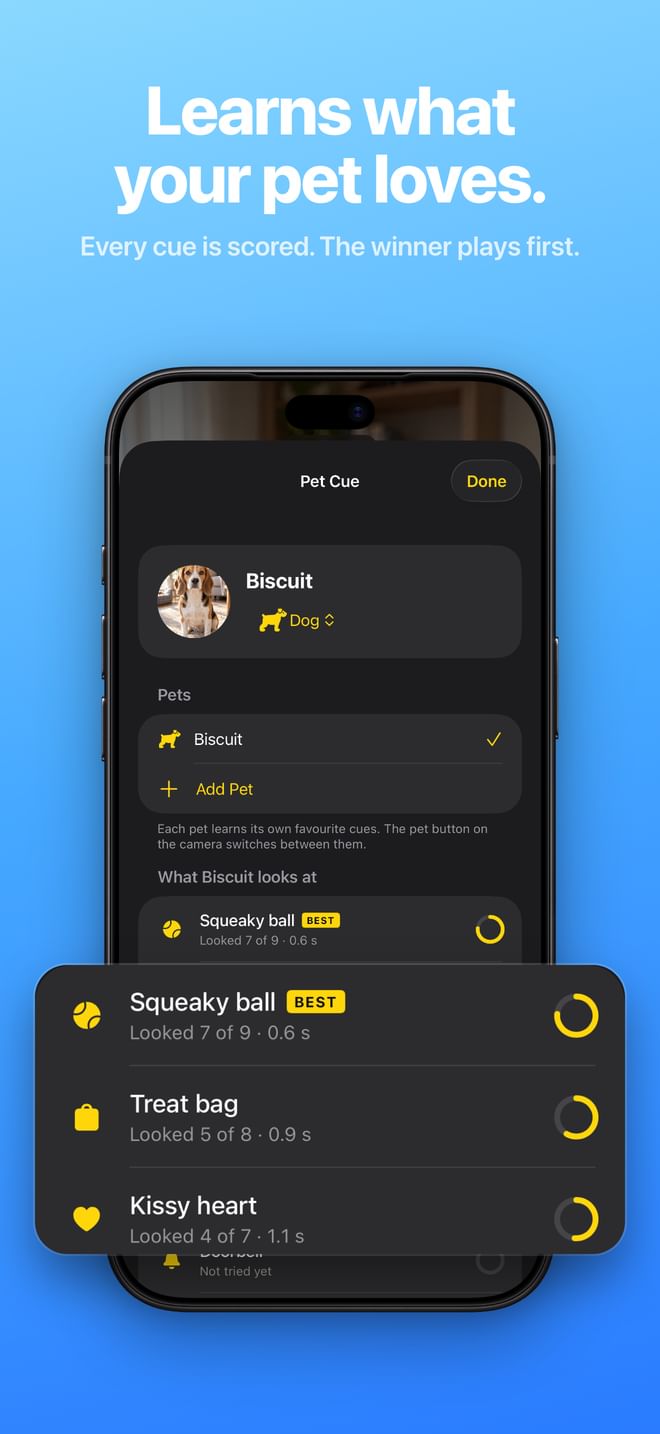
Pet Cue finds out which sound your pet can’t resist, and plays that one first.
Every cue is scored for each pet: did the pet look, and how fast (“Looked 7 of 9 · 0.6 s”).
AUTO plays this pet’s winner, still tries the others now and then, and never plays the same cue twice in a row.
Each pet learns separately. The learning stays on the phone and is never shared or pooled between users.
More > Reset What Pet Cue Learned clears what Pet Cue learned about the current pet.
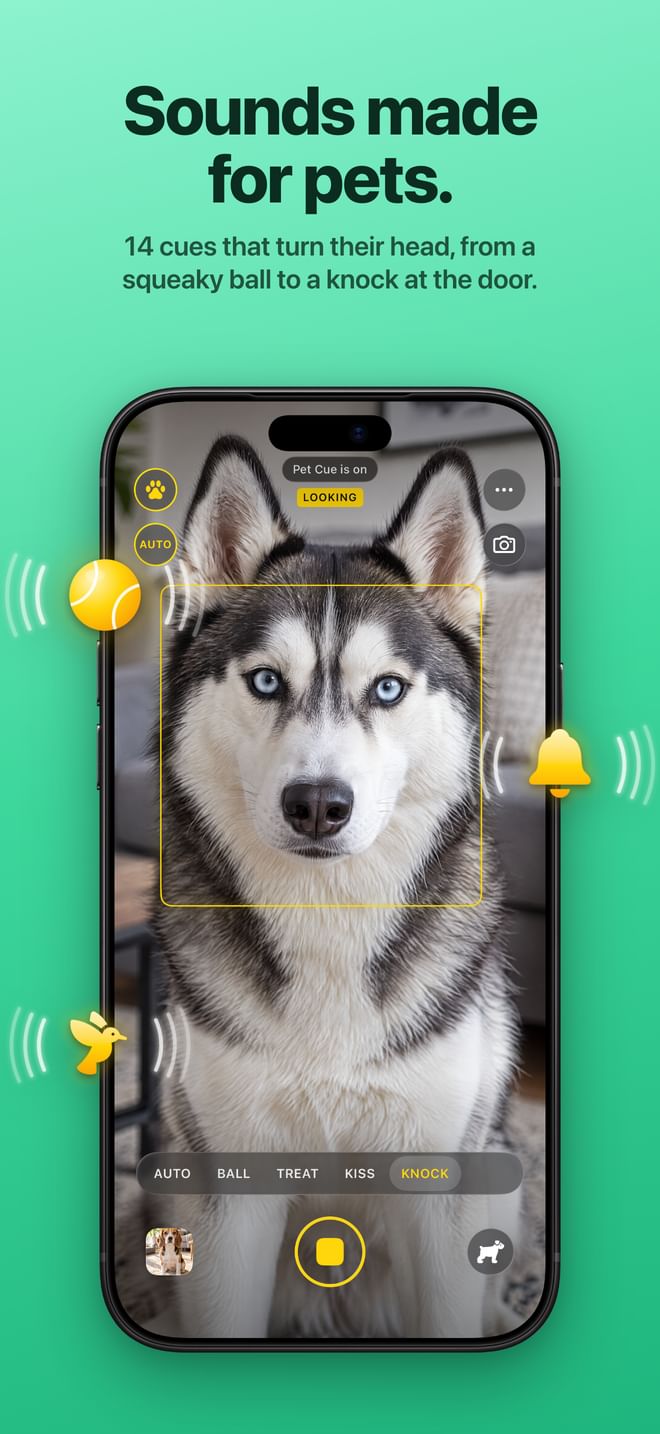
14 cues made for pets
Real sounds pets react to, in one tap. Each cue repeats for a few seconds in different tones (pitch shifted up and down) and glides between the phone’s speakers, so the sound seems to move: novelty is what turns a pet’s head.
Squeaky ball: a squeaky toy ball.
Treat bag: a treat-bag crinkle.
Bunny hop: quick chirps.
Kissy heart: kissy sounds.
Pinwheel: a pinwheel whistle.
Twinkle: a chime, with the flashlight twinkling beside the lens.
Doorbell: a doorbell.
Bird trill: a bird trill.
Mouse: mouse squeaks and scurrying.
Kibble shake: dry food rattled in a bowl.
Can opener: a pet food tin being opened.
Knock knock: a knock at the door.
Meow: a cat's meow.
Crickets: chirping crickets.
With Cue on, the cue strip shows AUTO and this pet’s best four; the full list is in More > Choose Cues, per pet.
Birds and other pets get their own cues: whistles, trills and chirps.
Multi-Shot sessions
For a photo shoot rather than one perfect photo: turn on MULTI in the camera menu (or More > Multi-Shot), and one tap keeps Pet Cue going, a photo every time your pet looks or does something cute, a new cue whenever it loses interest.
The shutter turns into a yellow stop button; its count shows the sharp photos.
Photos come at most every 0.6 s while the pet looks, borderline looks included, but only in still moments. Each one is checked: blurry ones are kept, marked and not counted.
Two and a half seconds after a cue ends without a look, the next cue plays.
A session ends when you tap stop, or by itself after three minutes.
Lock Screen camera
Pet moments last two seconds. Pet Cue opens straight from the Lock Screen, Control Center or the Action button, cues and all, without unlocking.
Add the Pet Cue control to Control Center, the Lock Screen or the Action button.
The locked camera knows the current pet, its learned cues and your settings, and can’t see anything else on the phone.
Photos taken there wait in a private drop box that only Pet Cue opens, and join the app the next time it runs.
On Android, a Quick Settings tile opens the camera over the lock screen.
Volume buttons take the photo
Like the Camera app: press a volume button, or Camera Control, to press the shutter: take the photo, or start and stop a session.
Handy when one hand holds a treat.
More > Volume Buttons Take Photos turns it off, for people who want the buttons for the cue volume.
iPhone Duo: the cue faces your pet
On iPhone Duo, the cue plays on the outer display, right next to the lens your pet should look at. The inner screen shows PET VIEW, what your pet sees. This arrives in an update.
The cue art lands beside a glowing lens beacon at the edge nearest the rear camera.
Cues are drawn in the blue and yellow range dogs can tell apart.
On Android foldables and flips, the cue can play on the cover screen too.
Front-camera cue window
Selfies where your pet actually looks: with the front camera, the cue appears on the screen itself.
A small glowing window just under the front camera, with the same glossy cue art.
The screen brightness is raised for the cue and restored afterwards.
The viewfinder is mirrored like the system camera, and the face square follows it.
Unlimited pets
As many pets as you have, each with a name, a kind (dog, cat, bird or other), its own cues and its own learning.
The pet button switches between them and shows whose turn it is.
The auto-shutter needs a dog or a cat; for birds and other pets, cues work as usual and you take the photo.
Photo gallery
Every photo says how it was taken.
Captions such as “Auto-shutter, looked in 0.6 s after the squeaky ball”, a moment (“Head tilt”) or “Taken by hand”.
Large thumbnails, three per row (more on big screens).
Multi-select delete (it asks first), Save to Photos and Share.
Separate Cue and Auto-shutter switches
Two small switches: Cue (play sounds) and Auto-shutter (take the photo by itself).
Together: a cue plays and the photo is taken at the look.
Auto-shutter alone: a silent camera that waits for the look.
Cue alone: the cue plays and you shoot yourself.
Every camera and lens
A glass menu unfolds from the Camera button: rear or front, and the lenses this phone has (0.5×, 1×, 2× or 3×).
Six app icon colours
Yellow, Sky, Coral, Mint, Lilac and Graphite: the same lens and paw on a different tile, in More > App Icon.
A complete Guide
More > Guide explains every mode with the app’s own buttons drawn on and off, how the auto-shutter decides, how learning works, and tips. Nothing is left to discovery.
Private by design
Pet detection, learning and Moments all run on the phone.
No account, no ads, no analytics, no tracking. App Store privacy label: “Data Not Collected”.
Works offline. The Android app doesn’t even ask for network access.
Your pet’s photos never leave your phone unless you share them.
Where each feature works.
Pet Cue for iPhone needs iOS 26 or later and runs on iPhone Duo; Pet Cue for Android needs Android 8.0 or later and is reaching the iPhone version feature by feature.
Feature
iPhone
iPhone Duo
Android
AI auto-shutter (dogs and cats)
Yes
Yes
Yes
Perfect Shot: keeps trying until the photo is sharp
Yes
Yes
In progress
Blur check on every automatic photo
Yes
Yes
In progress
Focus and exposure on the pet’s face, fast shutter
Yes
Yes
In progress
Learns each pet’s favourite cue (AUTO)
Yes
Yes
Yes
Moments: head tilts and new poses
Yes
Yes
Yes
Moments: funny faces (yawns, tongue-outs)
Yes
Yes
Later
14 cues, repeating and moving between speakers
Yes
Yes
In progress
Multi-Shot sessions
Yes
Yes
Yes
Lock Screen camera
Control Center, Lock Screen, Action button
Control Center, Lock Screen, Action button
Quick Settings tile
Volume buttons take the photo
Yes
Yes
Yes
Cue on the outer display, facing the pet
–
In an update
Cover screens of Galaxy Z Fold, Z Flip and Pixel Fold, where the phone allows it
Front-camera cue window
Yes
Yes
Yes
Unlimited pets (dog, cat, bird, other)
Yes
Yes
Yes
Choose which cues play, per pet
Yes
Yes
In progress
Camera menu: rear, front and every lens
Yes
Yes
In progress
Gallery with multi-select delete
Yes
Yes
In progress
Six app icon colours
Yes
Yes
Yes
Complete in-app Guide
Yes
Yes
Yes
On-device, no data collected
Yes
Yes
Yes, and no network permission at all
The iPhone app is localized into more than 40 languages. Android translations are on the way.
One price. Every feature.
$2.99 once, with every feature above. No subscription, no in-app purchases, no ads.
Coming soon to theApp StoreComing soon toGoogle Play
 Pet Cue